





Horizons
AI + Digital Innovation
A one-day summit in New York City for leaders at the edge of innovation.
- –
- BrainStation New York
Featuring speakers from:






Earn the AI Product Designer Certification (PDC™)
Equip your teams to design better user experiences faster, powered by AI. Go from UX research and design thinking to interactive Figma prototypes, scalable UI systems, and accessibility testing, gaining hands-on skills taught by leading design practitioners.
Get in touch with our team to discuss training details and reserve a date.
Upcoming Training
Reserve an Upcoming Date
Flexible, In-Person Training
136 Crosby St, 4th Floor, New York City, NY
40k+ professionals trained
4.7 on Google
Learn from experts


Kristina
Product Owner at Nestlé

Gabrielle
Product Manager at Sportsnet

Vadim
Senior UX Manager at Shopify

The return on investment has been two promotions. Can’t get any better than that.
Product Owner at Nestlé
Gain essential product design skills with hands-on instruction from UX/UI leaders working at the best global tech companies like Amazon, Meta, and Microsoft.
Design Thinking
AI in UX
Human-Centered Design
Artificial Intelligence (AI)
Generative AI
User Research
Research Synthesis
Affinity Mapping
Empathy Maps
User Personas
Archetypes
How Might We Statements
Ideation
Information Architecture
Card Sorting
Tree Testing
User Flows
Task Flows
Sketching
Wireframing
Rapid Prototyping
Interaction Design
Prototyping
User Interface (UI) Design
Layouts
Grids
Color
Typography
Design Systems
Style Guides
Usability Testing
Heuristic Evaluation
Accessibility
Design Thinking
Human-Centered Design
UX Design Framework
The Double Diamond Process
Steps to Conducting User Research
Research Ethics
User Interview Structure
Categorizing Data
Affinity Mapping
Synthesis Process
Empathy Maps
User Personas
Website and App Navigation
Diagramming Flows
Interaction Design Principles
User Flows
UI Design
User Testing
Heuristic Evaluation
WCAG
Receive hands-on training from Product Design and UX Design leaders working at companies like Amazon, Meta, and Microsoft.
Apply practical skills in a cumulative, hands-on project. You will leverage human factors to take a product concept from initial strategy and research all the way to a high-fidelity prototype, creating a professional UX portfolio that demonstrates the full design lifecycle.
BrainStation certifications are globally recognized by top companies for the most advanced and up-to-date skills.
The Product Design course gave me a permanent 'design lens' to solve problems more effectively. The in-person experience was invaluable, allowing me to learn from an industry professional, using real-world use-cases, and to collaborate with peers from diverse backgrounds. I developed a skillset and the confidence to create practical design solutions.
Michelle Massa
Manager, Global Publicity at Sony Pictures Entertainment


Milton Arantes
Senior UX Designer at Whole Foods

Tsan Tsai
Senior Product Designer at Apple

Marisa Sparacio
Solution Consultant at Adobe

Mike Demianiuk
Product Manager at J.P.Morgan

Natalee Ryan
Product Manager at Microsoft

Lilly Eggert
Content Designer at SAP

Tony Sidhu
CTO at Salesforce
Great UX design is strategic problem-solving, not pixel-pushing. Establish a strategic foundation by mastering human-centered UX principles and design thinking methodologies used by top-tier product designers. Learn how AI can enhance your workflows by accelerating research synthesis, brainstorming ideas, and supporting decision-making throughout the design process.
Explore frameworks used by modern product teams to understand users, define opportunities, and create innovative solutions and product strategies that meet customer needs and business goals.
Avoid assumptions. Plan and conduct unbiased user interviews, and use AI to translate research insights into empathy maps and data-driven personas that serve as the source of truth for your design work.
Transform research into meaningful design opportunities. Learn how Product Designers define clear problem statements through ‘How Might We’ questions before generating and evaluating solution ideas.
Great design needs a strong foundation. Start by applying Information Architecture (IA) to organize content in ways users can understand. Then, build flows that map user journeys and solve for decisions, friction points, and issues early-on. Bring your flows to life with interactive prototypes in Figma, ensuring user goals and core functionality are addressed before high-fidelity design work begins. Leverage AI to accelerate your design work and move faster than ever before.
Organize informational chaos. Utilize foundational skills like card sorting and tree testing to structure complex content hierarchies. Build navigation systems that match user mental models, ensuring information is logically grouped and instantly discoverable.
Map the paths users take to accomplish their goals through user flows, task flows, and wireflows. Learn how designers identify decision points, reduce friction, and communicate complex experiences before visual design begins.
Go from concepts to early solutions through sketching, wireframes, and interactive prototypes. Use AI to help generate design variations, visualize concepts, and accelerate early-stage ideation while maintaining human creativity and critical thinking.
User Interface design is more than decorative: it’s structural. Move beyond simple aesthetics and master the rigorous systems - grids, typography, and atomic components - that allow products to scale. Build a solid foundation with style guides that ensure consistency, eliminate design debt, and streamline handoff to development.
Design with precision, speed, and impact. Create flexible, responsive interfaces that adapt to new content and a variety of devices. Apply color, typography, and visual hierarchy to drive user behavior and create engaging digital experiences.
Learn how interaction design principles shape intuitive digital experiences by defining how users interact with interfaces, receive feedback, and navigate products with confidence.
Drive consistent, scalable designs by organizing your core elements and UI components into a style guide. Analyze best-in-class examples and apply those principles to build a robust foundation for future design work.
Transform wireframes and sketches into polished, interactive designs. Accelerate the process using AI, and evaluate your work through user testing and accessibility checks, ensuring your designs are usable, memorable, and serve the widest possible audience. Package your work into an impactful presentation and practice communicating your design vision.
Learn how modern Product Designers move quickly from initial concepts to presentation-ready experiences using AI. Create complete, interactive designs, that communicate your design intent and achieve user goals.
Go beyond color contrast. Learn to evaluate digital products through the lens of usability heuristics. Identify and implement accessible design methods, ensuring your solutions are more accessible.
Stop guessing. Learn to conduct usability tests and evaluate your product against industry-standard heuristics to identify and fix friction points before development begins.
It is not enough to design well; you must also be able to articulate your vision and the problem being solved. Package your end-to-end process into a brief and impactful presentation, ready to share with others.
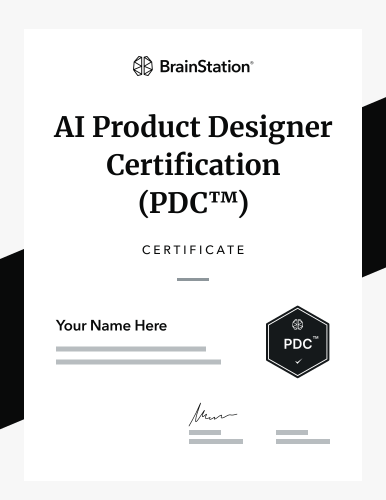
Successfully completing BrainStation's AI Product Design Certification course will earn you the globally recognized BrainStation AI Product Designer Certification (PDC™), demonstrating your mastery of the latest cutting-edge skills and tools. Add this professional certificate to your LinkedIn profile and resume or CV.


Talk to our team to get started.
Get in touch with our team to discuss training details and reserve a date.
BrainStation events bring top product leaders together to talk shop, trade perspectives, and build their network with other leaders and innovators. Experience the BrainStation community yourself by reserving your seat today.
Horizons
A one-day summit in New York City for leaders at the edge of innovation.
Featuring speakers from:
AI Product
A one-day summit for product leaders & professionals at the edge of innovation.
Featuring speakers from:
With a BrainStation certification, you'll join our global alumni network: a community of accomplished professionals across a range of critical tech skills, including UX Designers, Interaction Designers, and Product Designers.
40,000+
Global BrainStation Alumni
100+
Countries
BrainStation's globally recognized certifications feature comprehensive curriculum created by industry professionals, for industry professionals. Our network of experts from leading tech companies provide insights and guidance to ensure each certification demonstrates the latest cutting-edge skills and tools.







Welcome to
in SoHo
Located in the heart of the tech & retail district of SoHo Manhattan, BrainStation is at the center of New York's cultural and tech scene, surrounded by the best tech companies in NYC. In addition to courses, BrainStation New York offers training sessions, industry events, expert panel discussions, and more.
BrainStation New York
136 Crosby St, 4th Floor, New York


This course teaches the core, industry-standard UX and product design process, with AI integrated to accelerate research and strategy. You will move through the full design workflow:
No prior experience is required. The course is beginner-friendly and does not assume any design or technical background. You will learn the UX and product design process from the ground up, including how to use AI to support your research and strategy, regardless of your starting point.
You will get hands-on experience with the industry-standard design toolkit, centered on Figma for wireframing, prototyping, and UI design. You will use AI tools like ChatGPT to accelerate user research and strategy, and work with accessibility tools such as Stark and Tota11y to design inclusive, accessible products.
Yes. AI is an accelerator, not a replacement for design skill. The core of the course is the full UX and product design process: user research, information architecture, wireframing and prototyping, UI design, and usability and accessibility. AI is used to speed up research and strategy, but the foundational design skills remain the heart of the program.
You will build portfolio-ready work as you progress through the course, applying each stage of the design process to real-world projects. The final part of the course focuses on developing your portfolio, so you finish with design work you can showcase to employers and put to use in your career.
This course is beginner-friendly and designed to be compatible with people from all professional backgrounds and career paths. It's well suited to anyone looking to transition into Product Design or UX Design, or to enhance their existing UX skills. No prior experience is required to get started.
Classes are taught live by experienced product and UX designers who work in roles at top companies (like Amazon, Meta, and Microsoft). They bring real-world experience designing digital products used by millions and use AI in their own work, so you get practical insights into what it takes to get hired and thrive as a product designer.
The course is a part-time, 8-week program designed for working professionals. It requires 3 hours of live instruction per week, which you will attend in person at one of our locations in either New York, Toronto, or London, or entirely live online. Students typically spend an additional 2 to 4 hours per week applying what they've learned to their hands-on design work.
Absolutely. Because this course builds practical, in-demand design and AI skills, it qualifies for most corporate Learning & Development budgets. We provide an Employer Sponsorship Package complete with a syllabus breakdown and an expense justification letter to help you pitch the ROI of this course to your manager.
When you enroll, you join a global network of over 40,000 BrainStation certified professionals. At our New York, Toronto, and London locations, you'll have access to networking mixers, industry panel events, and collaborative workspaces, and all learners gain access to our community Slack, where you can connect with peers and instructors and stay in touch after the course ends.
The PDC™ is a globally recognized credential. BrainStation has been a leader in AI and digital skills training since 2012 and has certified over 40,000 professionals globally. Adding this certification to your resume and LinkedIn signals to recruiters that you possess modern, validated design skills.
Don't worry: flexibility is built into the program. If you need to miss a session, our team will help make sure you're able to catch up with your cohort. Sessions are live, interactive, and hands-on, so it's important to make class attendance a priority.
We want to make upskilling accessible. We offer flexible payment options, including payment plans and partial scholarship opportunities, subject to eligibility. A Learning Advisor can help find the option that works best for you.
UX Design focuses on creating meaningful and intuitive experiences for users when they interact with a product or service. User experience design involves understanding user behavior, conducting research, and designing solutions that are both functional and enjoyable. It's a key role in product development.
Learn More: What Is UX Design?
40k+ professionals trained
Learn from experts
Upcoming Training
Flexible, In-Person Skills Development
136 Crosby St, 4th Floor, New York City, NY
Get in touch with our team to discuss training details and reserve a date.