AI for Designers
Learn how to harness AI to work smarter and faster as a designer. In this workshop, go from idea to validated design concept faster than ever, and practice how to apply AI thoughtfully to each step of the design process.
Training Location:
- 40,000+ professionals trained
- Learn from experts
Upcoming Workshops
Reserve an Upcoming Date
Full-Day, In-Person Training
136 Crosby St, 4th Floor, New York City, NY
- Oct2026Closed
- Nov2026Now Reserving
- Dec2026Now Reserving
- Jan2027Now Reserving
Get Started
Get in touch with our team to discuss training details and to reserve a workshop date.
Upcoming Workshops
Reserve an Upcoming Date
Full-Day, In-Person Training
136 Crosby St, 4th Floor, New York City, NY
- Oct2026Closed
- Nov2026Now Reserving
- Dec2026Now Reserving
- Jan2027Now Reserving

Professional, in-person training to create faster, smarter, and responsibly with AI.
Learn how to integrate AI tools directly into your UX workflow: from ideation and wireframing to content design and usability testing. In this hands-on workshop, you’ll explore real-world AI use cases, practice advanced prompting techniques with leading AI design tools, and work side-by-side with your expert instructor to go from concept to high-fidelity designs in record time.
Example Workshop Agenda
- 9:00 AM
Arrival, coffee and breakfast
Get settled and prepared for your workshop.
- 9:30 AM
Workshop kick-off & morning session
Introductions, prompt engineering, and AI foundations.
- 12:00 PM
Lunch break
Casual networking over a catered lunch.
- 1:00 PM
Working session
Hands-on group activity with AI-enabled design exercises.
- 4:30 PM
Wrap-up and networking
Enjoy drinks and refreshments while connecting with your peers from the workshop.
- Claude
- ChatGPT
- Copilot
- Gemini
- Figma


Attendees Will:
Learn to Design Faster Without Sacrificing Quality
Attendees learn how to inject AI throughout the design process to accelerate and augment key design tasks from discovery to delivery.
Deploy AI Tools To Accomplish More Than Ever
Attendees will learn where AI can add the most value, handling design tasks on their behalf and allowing them to focus on high-value work that drives tangible results.
Receive Live, In-Person Training Led by AI Experts
Attendees learn side-by-side with expert instructors who will guide them through implementing the most advanced applications of AI in the design process.
Want to Train an Entire Team?
Book a call to discuss rapidly upskilling an entire team with modern AI tools and techniques through this collaborative, hands-on workshop.


Workshop Curriculum
Hands-On Training With Leading Industry Tools
- Claude
- ChatGPT
- Copilot
- Gemini
- Figma

- Part 1
AI Fundamentals for Designers
Gain the AI fluency modern designers need, learning how to craft effective prompts, accelerate the creative process, and apply AI tools confidently across UX and product design workflows.
- Claude
- ChatGPT
- Copilot
- Gemini
- Key skills:
- AI FundamentalsAI-Powered DesignPrompt Engineering
AI & Digital Design
Leverage AI to accelerate the design process while keeping creativity and authenticity at the center of your practice. Explore real-world case studies and learn how the world’s best brands apply AI to enhance product and UX design. Build a practical understanding of core AI technologies like NLP and LLMs, and learn how to apply them confidently within your own workflows.
Prompt Engineering Techniques
Learn prompt engineering techniques that help you get consistent, high-quality results from AI tools. Apply BrainStation’s prompting model to generate brand-aligned concepts, UX copy, user flows, and visual ideas tailored to your design context. Leave with a reusable prompting framework you can adapt to any problem space and integrate into your day-to-day design practice.
- Part 2
Discovery & Problem Framing
Begin your design challenge with AI as your strategic co-pilot to uncover insights, understand problems, and establish a creative direction.
- Claude
- ChatGPT
- Copilot
- Gemini
- Key skills:
- AI-Powered DiscoveryProblem Framing
AI-Powered Discovery
Enhance your discovery with AI, gaining clarity, speed, and perspective. Conduct market and competitor analysis, create user interview questions, and use AI to extract insights and find missed patterns in your research. Quickly synthesize findings into a clear, decision-ready report, and move from data to direction in record time.
Problem Framing
Work with AI as a thought partner to sharpen your understanding of user problems and frame them with clarity. Use AI to conduct thematic analysis, explore problem framings, and generate “How Might We” statements. Create personas, craft user need statements, and formulate a UX hypothesis for your design challenge.
- Part 3
Ideate & Prototype
Use AI to generate stronger design concepts, explore creative directions, and build testable prototypes that accelerate your product design process.
- Claude
- ChatGPT
- Copilot
- Gemini
- Figma
- Key skills:
- AI-Powered IdeationAI-Powered Prototyping
Generate & Evaluate Design Solutions
Move efficiently from broad exploration to a well-supported design concept with the help of AI. Rapidly ideate design solutions and narrow in on the most promising concepts. Use AI to support brainstorming and mind mapping, then stress test your solution concept.
Rapid Prototyping
Turn ideas into tangible, interactive prototypes, using AI to speed up creating layouts, copy, and visual designs. Rapidly create visuals that adhere to your design system, guidelines, and brand. Build functional, testable prototypes and get stakeholder feedback and alignment faster than ever.
- Part 4
Test, Validate, & Demo
End your design challenge by using AI tools to help test and validate your work. Learn how to effectively communicate your design process and outputs, then demo your work and gain valuable feedback.
- Claude
- ChatGPT
- Copilot
- Gemini
- Key skills:
- Testing & ValidationDesign Communications
Test & Validate
Close the feedback loop faster with AI, accelerating usability tests and the analysis of user feedback. Apply LLMs for design critique and use AI to help compile and distill your feedback into actionable next steps and key insights.
Communicate Design Features
Communicate updates to a variety of stakeholders by automating standardized communications. Demo your work, share your approach, and receive targeted expert feedback. Connect with peers and leave with practical insights you can immediately apply.
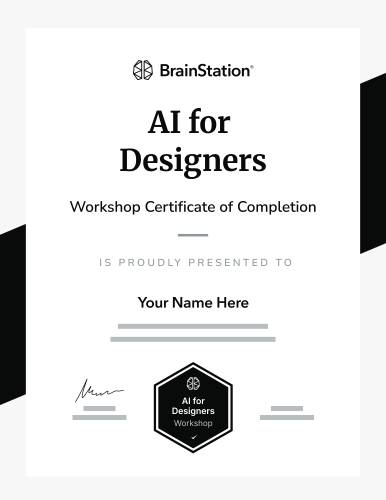
Attendees Earn a BrainStation® Certificate
Attendees who successfully complete the workshop will earn a Certificate of Completion, demonstrating their commitment to developing and maintaining cutting-edge tech skills.
Workshop Details
- Who Should Attend
- This workshop is created for design professionals. Whether you're a seasoned designer or just starting out, this workshop will help you effectively integrate AI tools to accelerate your work.
- What's Included
- Local coffee & breakfast
- Catered lunch
- Cocktails and snacks
Have dietary restrictions?
To ensure we can accommodate your dietary needs, please inform us at least 48 hours before the workshop start date.
- What to Bring
- A laptop and charger
- A notebook (optional)



Every stage of the workshop was thoughtfully planned, and it was clear that a lot of care went into ensuring we had everything we needed.
My team and I felt welcomed, guided, and engaged throughout and have already been implementing the learnings into our day-to-day work.
Gennaro
Product Design Manager at EY

Leading Brands Learn from BrainStation®








Welcome to
BrainStation New York
in SoHo
How to Get Here
BrainStation New York
136 Crosby St, 4th Floor, New York
- Finding your way
Located on Crosby St just south of Houston between Broadway and Lafayette, just steps away from the Lafayette B D F M train.
- Entering the building
A BrainStation team member will be waiting for you at the elevators to take you to the 4th floor.
- Once you’re inside
Our staff will be there to greet you at reception.


Frequently Asked Questions
Please fill out the form on this page and our team will get in touch to discuss workshop packages.
This workshop is designed for corporate teams so most attendees join alongside multiple colleagues and co-workers.
In order to get the most out of the time, this workshop is only available in-person.
Yes, all attendees who complete the workshop are awarded a Certificate of Completion.
Of course! Please fill out the form on this page and our team will be in touch to answer any questions you have.
Reserve a Workshop for Your Team
40,000+ professionals trained
Learn from experts
Upcoming Workshops
Reserve an Upcoming Date
Full-Day, In-Person Training
136 Crosby St, 4th Floor, New York City, NY
- Oct2026Closed
- Nov2026Now Reserving
- Dec2026Now Reserving
- Jan2027Now Reserving
Get Started
Get in touch with our team to discuss training details and to reserve a workshop date.