

The Top Data Science Tools in 2025
Level up your Data game with the definitive list of Data Science tools in 2025












Data Analysis & Exploration
 Deepnote
Key Features
- Real-time collaboration
- Integrates with Git, SQL, and cloud storage
- Interactive outputs and visualizations
- Role-based sharing and permissions
- Jupyter-compatible environment
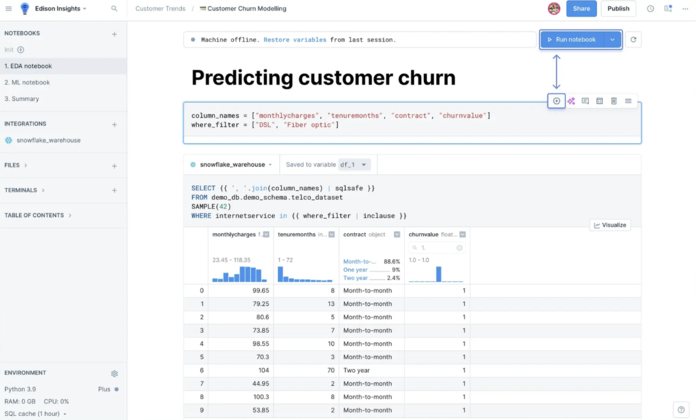
Deepnote is a collaborative notebook designed for data science teams. It supports real-time editing, commenting and version control in a familiar notebook format. Unlike standard notebooks, Deepnote is built with collaboration and productivity features, making it ideal for cross-functional work.
 Altair RapidMiner
Key Features
- Visual drag-and-drop interface
- Extensive library of prebuilt algorithms
- Automated model validation
- Real-time scoring and deployment
- Team collaboration features
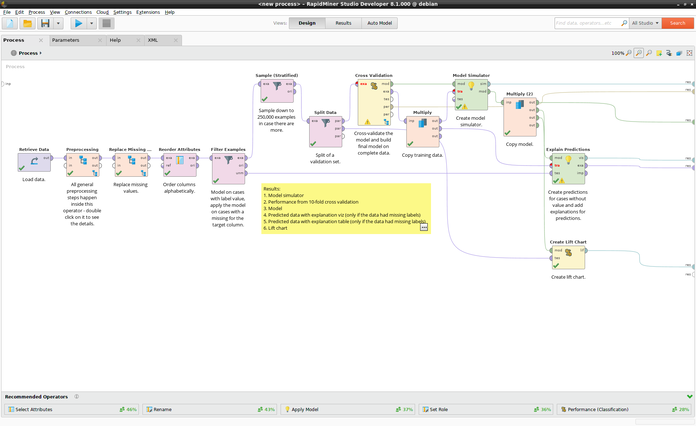
Altair RapidMiner is a data science platform aimed at accelerating the development and deployment of machine learning models through a visual workflow interface. It combines data preparation, modeling and deployment in a single tool. This is ideal for data scientists who prefer a low-code environment without compromising flexibility.
 Apache Superset
Key Features
- SQL-based data exploration
- Interactive dashboards
- Role-based access control
- Connects to most SQL-speaking databases
- Extensible with plugins and APIs
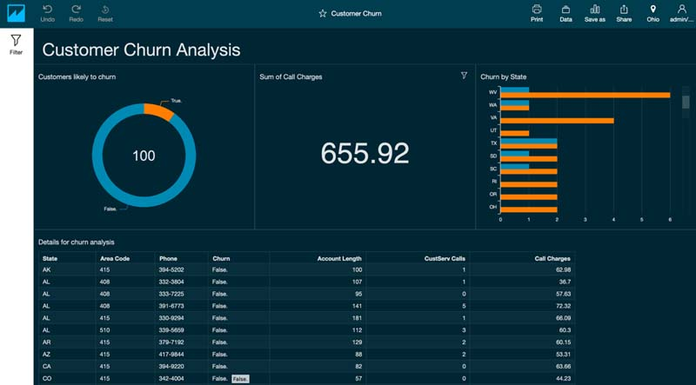
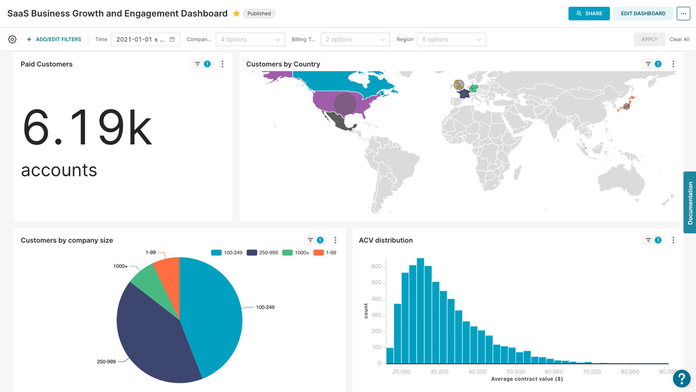
Apache Superset is an open-source data exploration and visualization tool designed for modern data workflows. It's especially useful for creating interactive dashboards and conducting data investigations without heavy coding. Superset supports large-scale data analysis through SQL and integrates with many databases.
 Jupyter Notebook
Key Features
- Interactive Python notebooks
- Supports multiple languages (via kernels)
- Inline visualization support
- Markdown for documentation
- Community extensions and plugins
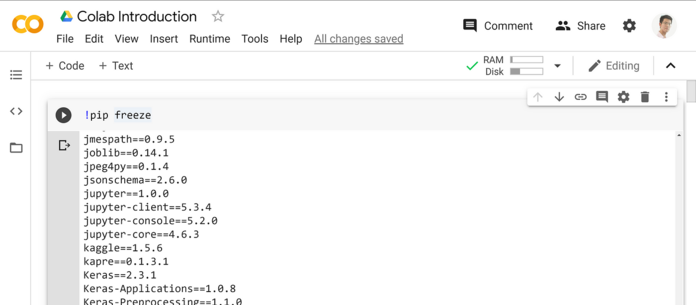
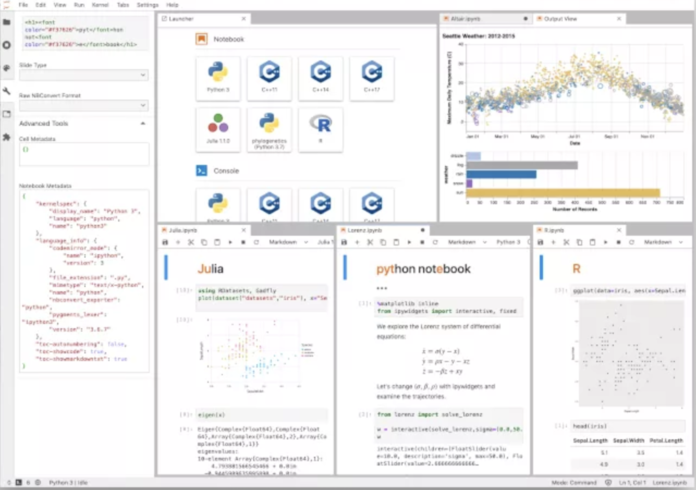
Jupyter Notebook is a web-based interactive environment for writing and running code, equations, visualizations and narrative text. It's widely adopted in the data science community for its versatility and open-source nature. Jupyter supports numerous languages and is extensible via a rich ecosystem of plugins.
 Tableau Public
Key Features
- Interactive dashboard creation
- Public gallery of visualizations
- Connects to many data sources
- Custom calculated fields
- Drag-and-drop functionality
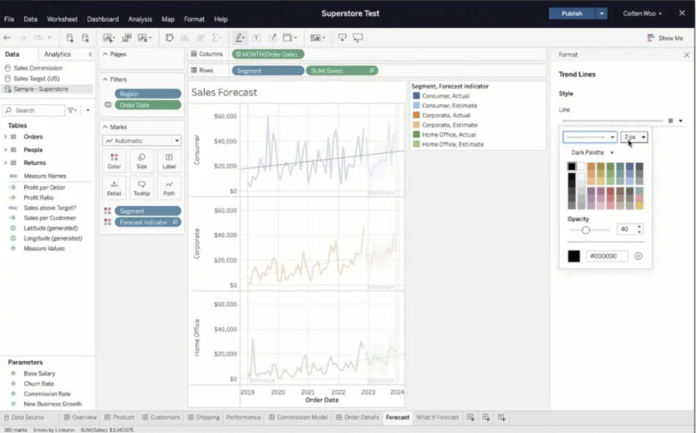
Tableau Public is a free platform for creating and sharing interactive data visualizations online. It's excellent for storytelling with data and is especially suited for analysts looking to publish work publicly. The drag-and-drop interface makes it accessible while still offering depth for complex visual analytics.
 BigQuery
Key Features
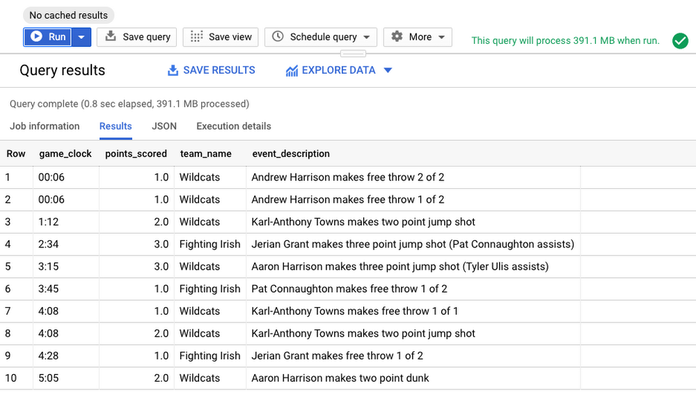
- Fast SQL analytics on petabyte-scale data
- Serverless architecture
- Built-in machine learning with BigQuery ML
- Seamless GCP integration
- Real-time data processing
BigQuery is Google Cloud's fully-managed, serverless data warehouse optimized for fast SQL analytics on large datasets. It's ideal for data scientists handling massive datasets and needing high-performance querying capabilities. It integrates easily with other Google Cloud products and supports advanced analytics and ML.
 YData Profiling
Key Features
- Automated EDA reports
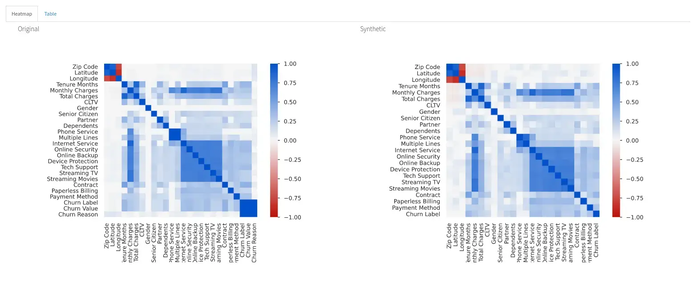
- Correlation matrices and missing value maps
- Summary statistics for each variable
- Interactive HTML output
- Works directly with Pandas
YData Profiling is a Python library that generates EDA (exploratory data analysis) reports from a Pandas DataFrame with just a single line of code. It's invaluable for quickly understanding data distributions, correlations and quality. It's a must-have for early-stage data inspection.
 Snowflake
Key Features
- Scalable compute-storage separation
- Native support for structured and semi-structured data
- Secure data sharing across accounts
- Built-in machine learning support with Snowpark
- Integration with major cloud services
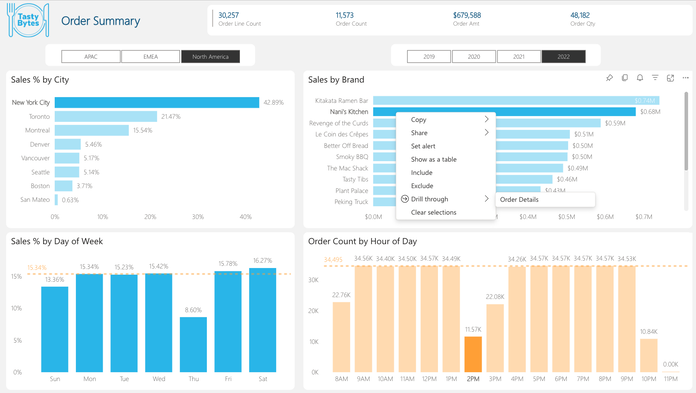
Snowflake is a cloud-based data platform that allows data scientists to store, query, and share large datasets with near-instantaneous scalability. Its architecture separates storage from compute, making it ideal for concurrent analytical workloads. With support for SQL, Python (via Snowpark), and integrations with BI tools, Snowflake is widely adopted in data-heavy organizations.
 Looker (Google Cloud)
Key Features
- Real-time data exploration with LookML
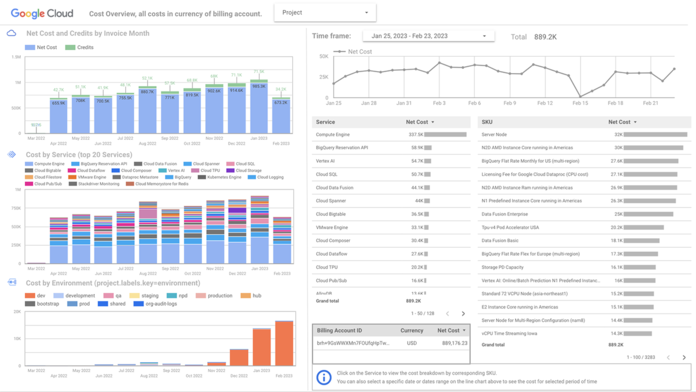
- Embedded analytics and dashboards
- Data governance and version control
- Seamless Google Cloud integration
- Scheduled reporting and alerts
Looker is a modern data platform for business intelligence and analytics, now part of Google Cloud. It enables data scientists and analysts to create robust dashboards and explore datasets using a modeling language called LookML. It's highly customizable and integrates with various databases for real-time analytics.
 Hex
Hex
Key Features
- Live code cells for Python & SQL
- Interactive app-like dashboards
- Easy publishing and versioning
- Real-time collaboration
- Integration with databases and warehouses
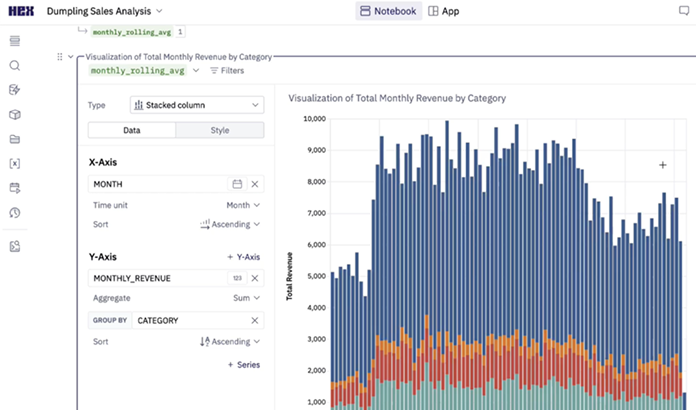
Hex is a modern data platform for collaborative analytics and notebook-style workflows, built for data teams. It offers live Python, SQL and markdown cells in a single document, ideal for storytelling and analysis. Its publishing and sharing features make it easy to communicate insights within organizations.
 Sigma Computing
Key Features
- Spreadsheet interface with live SQL
- Real-time collaboration
- Native cloud data warehouse integration
- Visual exploration and dashboards
- Scalable cloud-based analytics
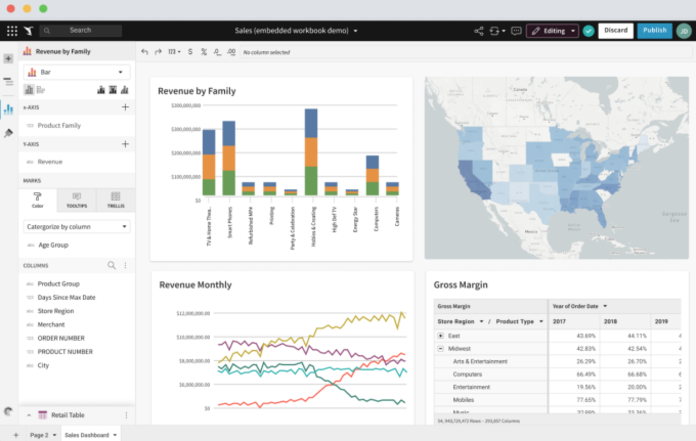
Sigma Computing provides a spreadsheet-like interface on top of cloud data warehouses, allowing data scientists and analysts to work in SQL and spreadsheets simultaneously. It democratizes data exploration while enabling powerful SQL queries and visualizations. It's optimized for cloud-scale analytics and team collaboration.
 KNIME
KNIME
Key Features
- Visual workflow builder
- Built-in data mining and ML tools
- Connects to Python/R/Spark
- Scalable processing with KNIME Server
- Open-source and enterprise-ready
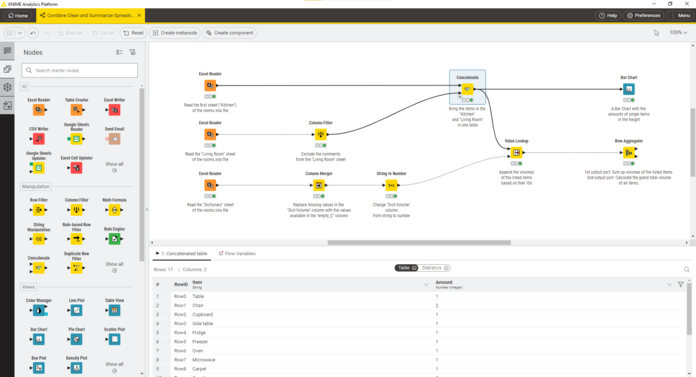
KNIME is an open-source analytics platform for creating data science workflows through visual programming. It supports a wide array of data wrangling, machine learning and modeling tools with minimal code. KNIME is suitable for both beginners and advanced users looking for customizable pipelines.